LIVE TV, MOVIES AND SPORTS
Watch live TV and movies with Apollo TV.
Bring live channels, movies and series to your TV, tablet or phone. Choose an Apollo TV Hub plan for up to five screens, with device setup help included.
60 days to request a full refund. Support through WhatsApp.
Movies and live sports on Apollo TV.



















Browse the viewing categories
Compare our subscription plans
Diamond includes extra months and one year of IBO Player Pro. Choose your screens and compare the four plans below.
- 60 days to request a full refund
- Setup help included
Payment via PayPal
Silver
1 month · 1 device
$15.60
60-day money-back guarantee
$15.60 monthly equivalent
- 4K streams, servers built for sport
- Live TV from multiple regions
- Live television for United States
- Movies and series on demand
- Adult channels hidden unless you ask
- Works on Firestick, Android and smart TVs
- VPN built in, no extra app to buy
- Electronic programme guide
- Anti-freeze tech for live matches
- Scan a QR code to sort your own channels
Gold
3 months · 1 device
$28.40
60-day money-back guarantee
$9.47 monthly equivalentsave 39%
- 4K streams, servers built for sport
- Live TV from multiple regions
- Live television for United States
- Movies and series on demand
- Adult channels hidden unless you ask
- Works on Firestick, Android and smart TVs
- VPN built in, no extra app to buy
- Electronic programme guide
- Anti-freeze tech for live matches
- Scan a QR code to sort your own channels
Platinum
6 months · 1 device
$49.30
60-day money-back guarantee
$8.22 monthly equivalentsave 47%
- 4K streams, servers built for sport
- Live TV from multiple regions
- Live television for United States
- Movies and series on demand
- Adult channels hidden unless you ask
- Works on Firestick, Android and smart TVs
- VPN built in, no extra app to buy
- Electronic programme guide
- Anti-freeze tech for live matches
- Scan a QR code to sort your own channels
- Annual package
Diamond
12 months · 1 device
$77.00
60-day money-back guarantee
$6.42 monthly equivalentsave 59%
2 extra months included
+ 1 year IBO Player Pro included
- 4K streams, servers built for sport
- Live TV from multiple regions
- Live television for United States
- Movies and series on demand
- Adult channels hidden unless you ask
- Works on Firestick, Android and smart TVs
- VPN built in, no extra app to buy
- Electronic programme guide
- Anti-freeze tech for live matches
- Scan a QR code to sort your own channels
Getting started
Set up Apollo TV in three steps.
Choose a subscription, tell us your device and follow its setup guide. WhatsApp support is available for order and installation questions.
- 01
Choose your subscription
Diamond includes 12 months, extra months and one year of IBO Player Pro. Shorter plans are also available.
- 02
Connect your player
Send your device model and app name. We provide the login details and instructions for that setup.
- 03
Open your channels
Add your favourite channels and use the programme guide to find what is on. Keep your order reference for renewals or support.
Help with your Apollo TV setup.
Use the guide for your TV, phone or streaming box. If a menu looks different, send the app name and model on WhatsApp so we can explain the next step.
Ask us about your setupPlanning to use two screens?
Select two screens above the plans. You can connect a television and a tablet, or use another supported combination of devices.
Setup help is included with every plan.
Set up Apollo TV on your devices.
Open the matching setup guide, then confirm your exact model with our support team.
 Set up Fire TVFire TV Stick or Cube
 Set up Android TVTVs, boxes, phones and Chromecast
 Set up RokuRoku players and Roku TVs
 Set up LG webOSNo streaming box needed
 Set up Apple TVAlso covers iPhone and iPad
 Set up WindowsDesktop and laptop setup
Explore viewing categories in the channel list.
Global presence
Premium IPTV servers in 7 regions
Our servers cover seven regions. Regional coverage helps shorten the connection between your player and the stream.

- 01North America
- 02Europe
- 03Middle East
- 04Asia Pacific
- 05South America
- 06Africa
- 07Australia
Live television and on-demand viewing.
Use the live channel categories for news and sports, or open the movie and series library. Your subscription works through a compatible IPTV player.
View the content categoriesYour first viewing session
- 1. Open a live channel in your player.
- 2. Add favourites, open the programme guide and try subtitles on a programme that offers them.
- 3. Connect the screens included in your plan and open the player on each device.
- 4. Keep your app name, model and subscription reference in your support conversation for future setup help.
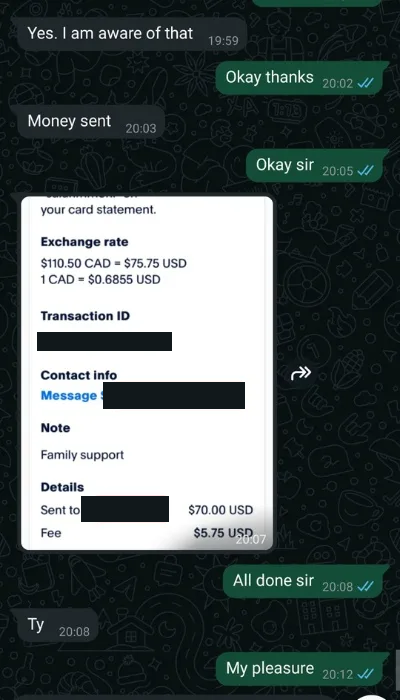
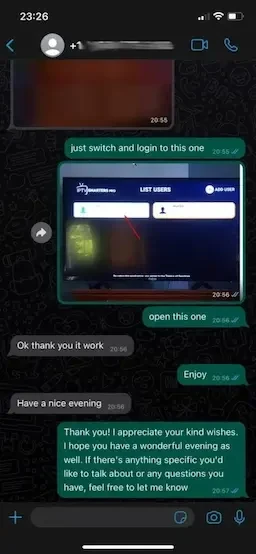
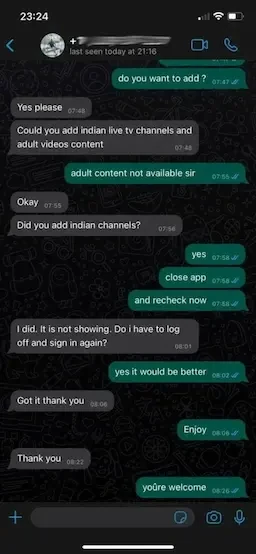
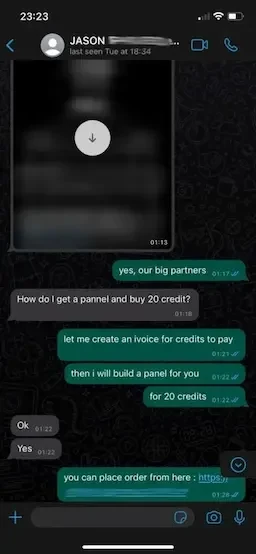
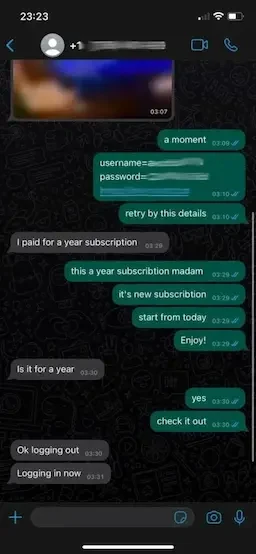
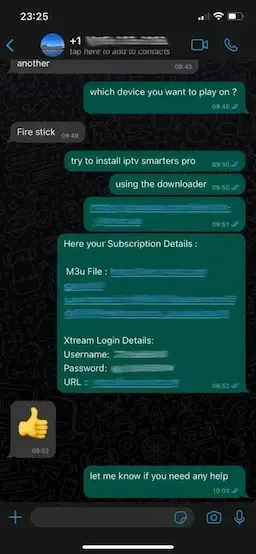
Read our customer conversations
All device and duration prices
| Screens | 1 month | 3 months | 6 months | 12 months |
|---|---|---|---|---|
| 1 | $15.60 | $28.40 | $49.30 | $77.00 |
| 2 | $25.00 | $69.00 | $108.00 | $129.00 |
| 3 | $35.00 | $85.00 | $130.00 | $179.00 |
| 4 | $49.00 | $105.00 | $188.00 | $229.00 |
| 5 | $65.00 | $125.00 | $220.00 | $279.00 |
Your questions about Apollo TV
What happens after I choose a package?
The order button opens a message to Apollo TV Hub with your chosen duration, screens and price. Tell us your device model so we can send the setup instructions.
What is the difference between a player and IPTV service access?
The player is the application on your TV or streaming device. Service access supplies the channels and on-demand library opened by that player. Installing an application alone does not activate a subscription. The annual package includes IBO Player Pro; ask about app compatibility for your specific model.
How many devices should I select?
Choose one to five screens using the buttons above the plans. We can help you connect the players on your chosen devices.
What does the Apollo TV annual plan include?
Diamond includes 12 months plus 2 extra months for one screen, or 6 extra months for two to five screens. One year of IBO Player Pro is also included. Renewals are optional.
Can I get help setting up Apollo TV?
Yes. Send Apollo TV Hub your device model, player name and the setup step you need help with. We can guide you through the installation on WhatsApp.
How do I renew or request a refund?
Keep your subscription reference in the original WhatsApp conversation. Request another term when you want to renew; there is no automatic renewal. Every package provides 60 days from purchase to request a full refund. The refund page explains the information needed to locate your payment.
Is Apollo TV Hub the same as Apollo Group TV?
No. Apollo TV Hub is an independent IPTV service and is not affiliated with Apollo Group TV. Orders, subscription details and support on this website belong to Apollo TV Hub. We do not operate another provider's application or account portal.
60-day money-back guarantee. Renew when you choose. No automatic billing.
Request a 24-hour trialAbout Apollo TV Hub
Apollo TV Hub offers live television, movies and series through compatible IPTV players. Choose a subscription length and the screens you want, with help for installation and renewals.